 Cirque Skillbook
For studio owners and instructors
Your syllabus, in your students’ pockets.
Every skill your studio teaches, sorted by class, with steps, tips and videos. Students review what they’ve learned between classes, so more of it is still there next week.
30 days free for your whole studio. No card needed to start.
What it helps with
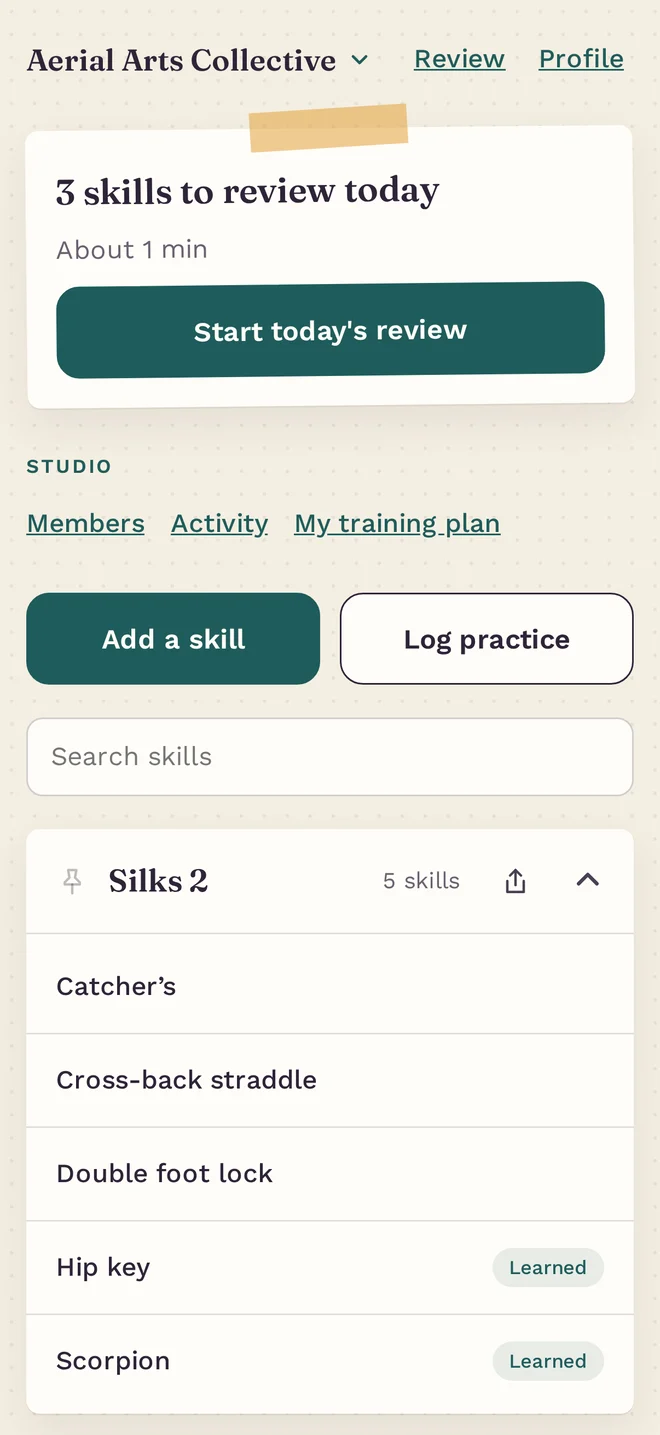
The one video you’re looking for, out of 700.
One place for the syllabus
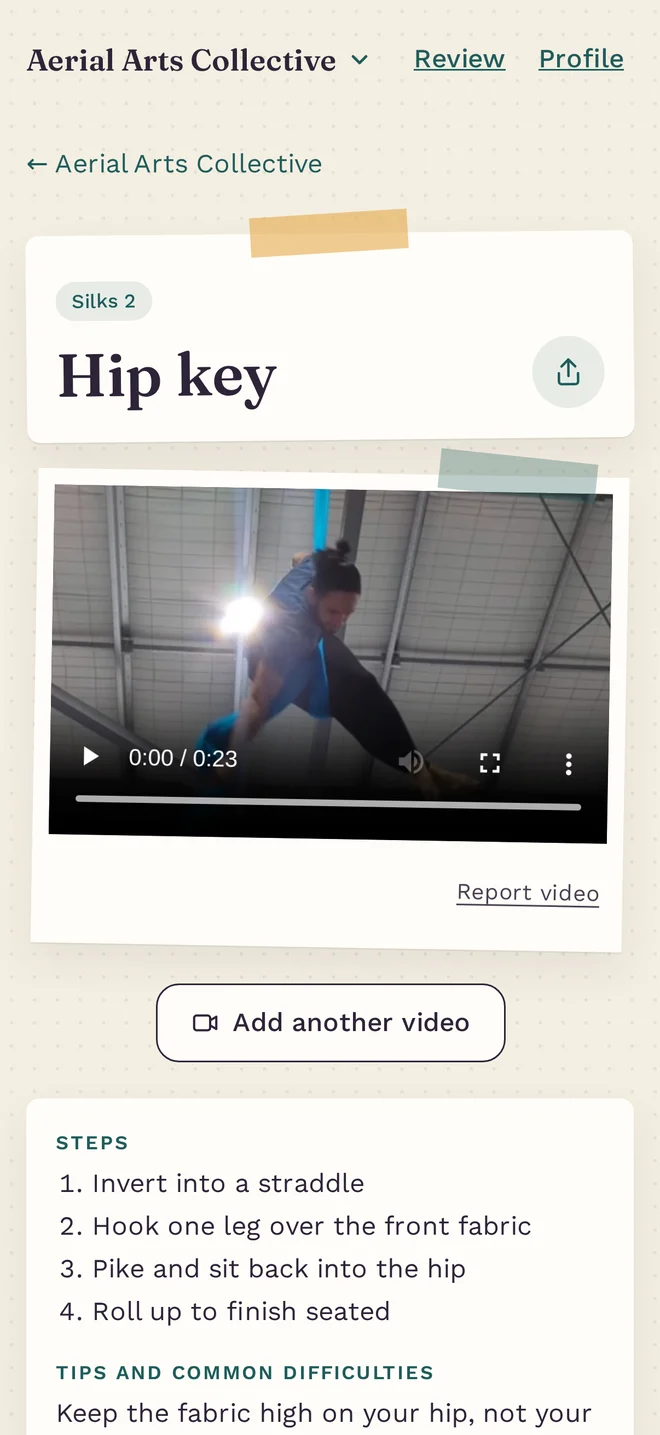
Skills by class, with steps, tips and common difficulties. Instructors can review it, add to it and keep the skills they’re training outside it.
Fewer repeat demos
Students can rewatch themselves or a classmate doing the skill, instead of asking for the same demo week after week.
Better recall between classes
Short reviews bring each learned skill back over the following weeks, so students arrive remembering more of last week’s class.
A perk of membership
Include it in your memberships. Something extra makes the next price rise easier to explain, and your students never pay anything on top.
Built for how studios teach
You decide what students see.
- Only what’s been taught. Skills appear as each class is marked taught.
- Groups for each intake, with their own invite links.
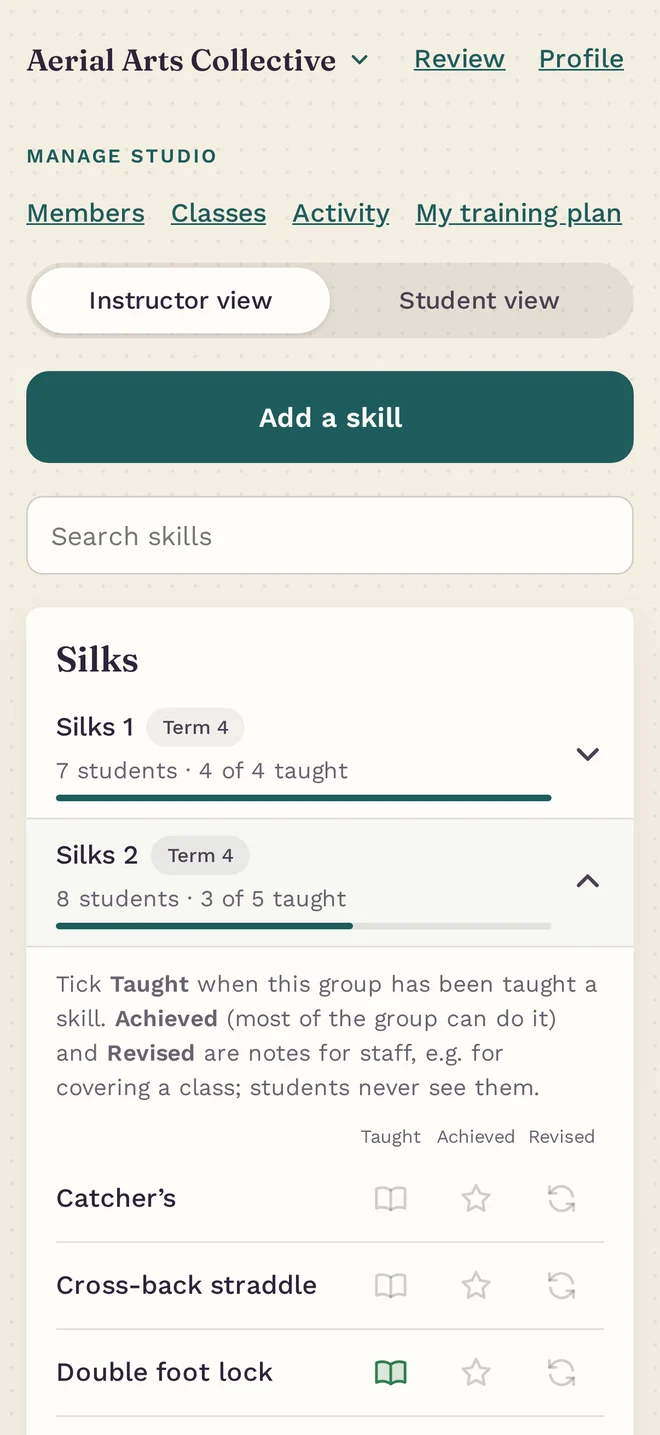
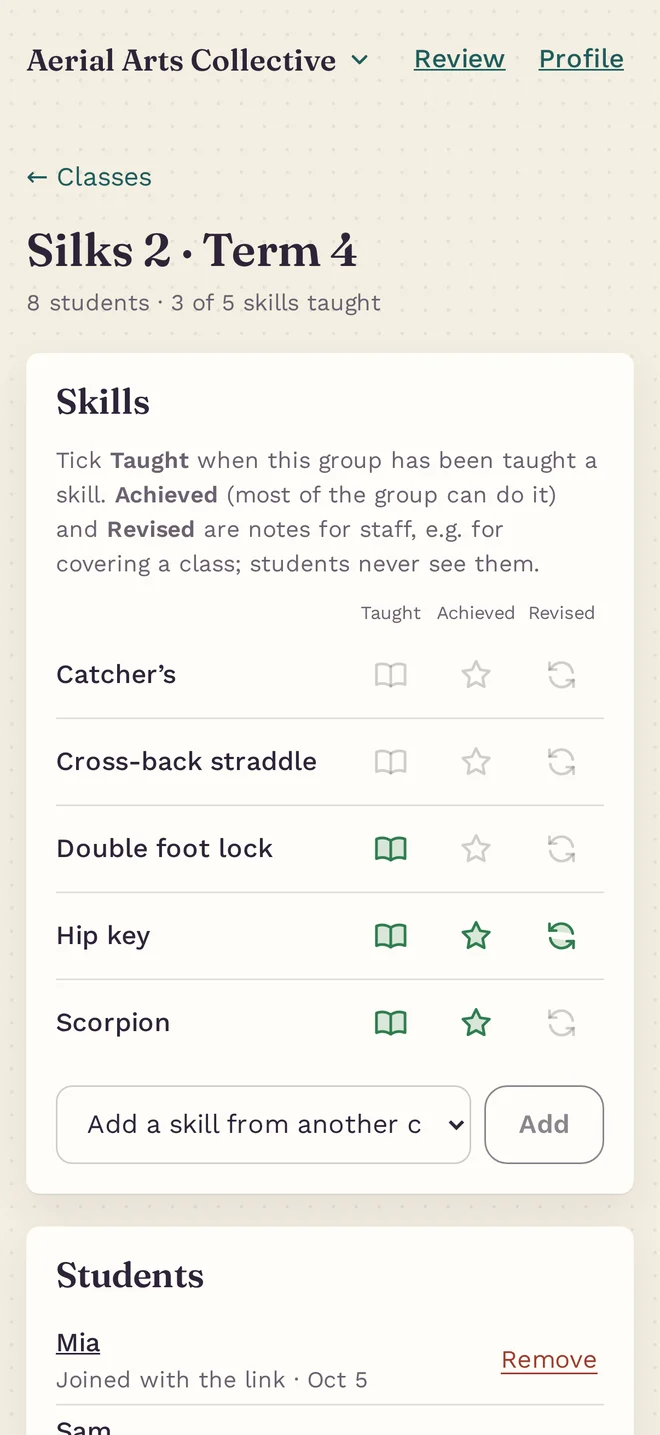
- Instructor view: what each group has been taught, achieved and revised.
- Students add videos too, not just staff, so the library grows on its own.
- Approve what students add before others see it, if you want to.
- Studio activity on the studio page, and a weekly summary email for owners.
- Videos with consent, and an “I’m in this video” button for anyone.
For instructors
Teach from the same book your students learn from.
Built with a working aerial studio and its instructors, around what they wanted from it.
- Brush up on the syllabus before class, on your phone
- Add and update skills, steps and videos yourself
- Keep the skills you’re training outside the syllabus in your own journal
- Tick off what each group has been taught, achieved and revised
- Point students to a video of themselves or a classmate, instead of demoing again
Getting started
Set up in an afternoon.
-
Create your studio
Add your classes from your timetable, then your skills: one at a time, or several at once.
-
Invite your instructors
They add videos and tips, and tick off what each group has been taught.
-
Share the studio code
Students join on their phone or in a browser, and pick the classes they go to.
Your students already started a skill book for your studio? Ask one of them for the staff link to take it over, and keep everything they’ve added.
Pricing
A$4.99 per active student a month.
Only students who opened the app that month count. Owners are free, and instructors are free up to one for every ten students. Minimum 10 students. Cancel any time, and nothing is deleted the day you stop: videos are kept for 6 months in case you come back.
See it with your own syllabus.
A 20-minute video call: we’ll set up a few of your skills together and show you what your students and instructors will see.